
For support & QA teams
The bug, on video.
No install for your users.
“Can you send a screenshot?” becomes a ten-email loop and you still can't reproduce it. Send one link instead: the user records the bug happening and says what they see, and you watch it back with subtitles.
Want repro links for your team? Reply to the email that brought you here.
How it works
One link does the whole job.
The setup lands on us, not on the person you're asking for a repro.
Send one link
Drop it into your reply, ticket, or onboarding email with a one-line ask. That's your whole part.
They record it happening
The user opens the link and hits record, right in the browser. Nothing to install, no account to make.
You watch the repro
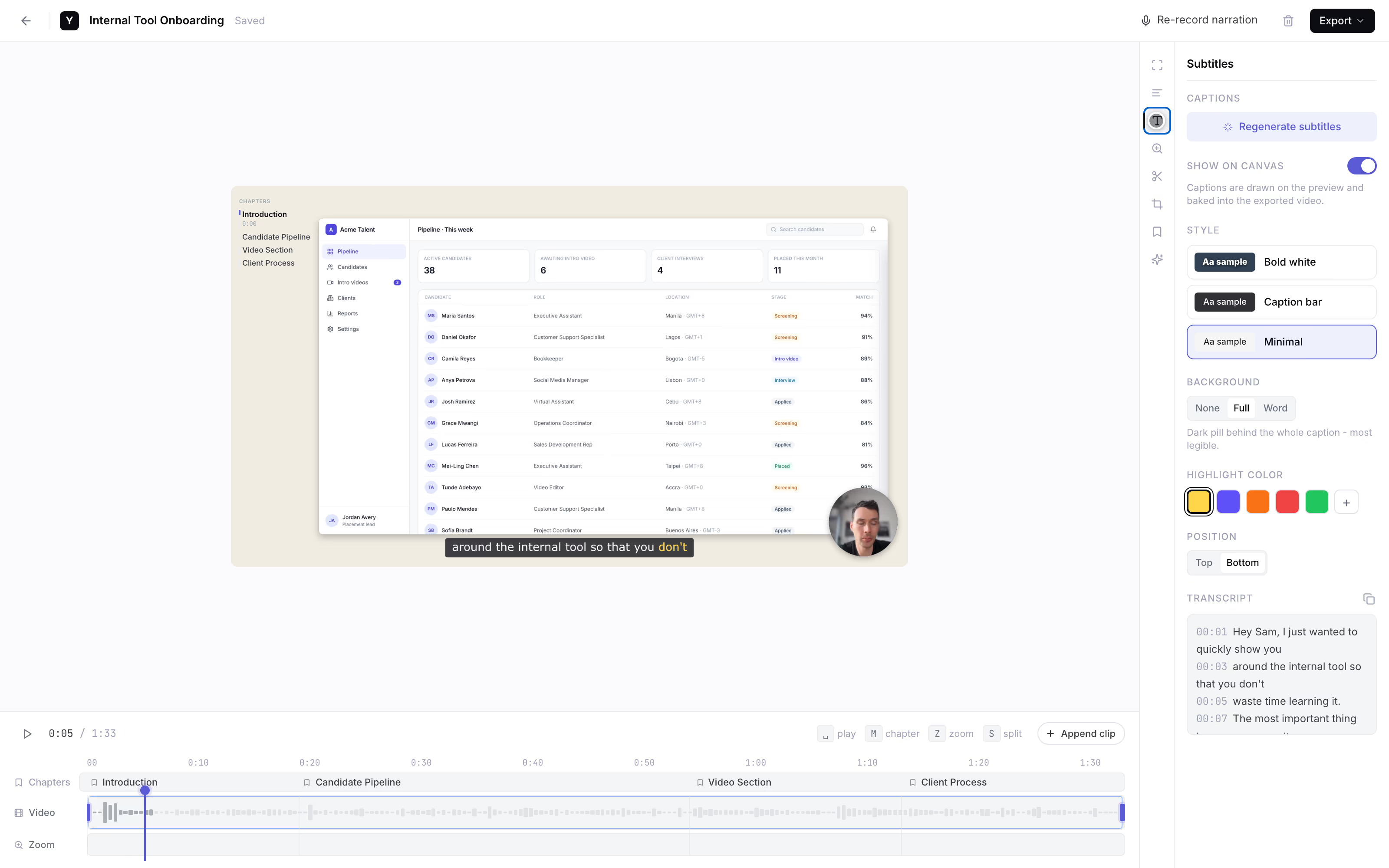
It lands back with you as a link with subtitles, so you read what they said while clicking. Founder-run during the pilot.
Subtitles · auto
Why in-browser matters
Read what they said, not just what they clicked.
- End users won't install a bug reporter. For a one-off report, nobody downloads software or an extension. A link is the lowest-friction thing you can ask anyone to click.
- IT-locked machines can't install anything. Blocked from the Chrome Web Store and admin-gated installs? It runs in the tab that's already open.
- Subtitles catch the narration. Read what the user said in seconds instead of scrubbing audio. Subtitles are the only AI feature we ship.
- Testers, no accounts to set up. Running a beta? Collect repro clips from outside testers with no logins, no seats, no portal to spin up.
The honest comparison
It depends who presses record.
A category-level look. We're the right call when the person recording isn't on your team.
Link the user records in
YoRecord- Good for
- Repros from external users, testers, and anyone without your tooling.
- Where it breaks
- Desktop browsers only - no Safari, no mobile.
Desktop recorder app
- Good for
- Internal teammates who can install software.
- Where it breaks
- Needs a download and often admin rights - a non-starter for a one-off external report.
Extension reporter (e.g. Jam)
- Good for
- Your own developers, who already run the extension.
- Where it breaks
- Your end user will not install it - and locked-down machines block the store.
“Just email me a video”
- Good for
- Nothing new to adopt.
- Where it breaks
- Big attachments bounce, formats vary, and there is no narration or subtitles to read.
Privacy is built in: everything is processed client-side, and nothing leaves the device until the user shares it.
Work with the founder
Founding pilotNo self-serve dashboard yet. For the first teams, that's the feature.
Founding-team price. Cancel anytime.
- The founder personally sets up your repro-request flow.
- Your prompt wording, shaped around your support or QA process.
- Every user recording lands back with you - as a link with subtitles.
- Cancel anytime. The recorder stays free for everyone you send a link to.
Reply to the email that brought you here.
We'll set up your repro-request flow together.
No forms · No payment button · A real person replies
Separate from YoRecord Pro ($4/month), which upgrades the recorder for individuals. The pilot is a done-for-you repro service - recording stays free for your users either way.
Straight answers
The honest bits.
Does the user need to install anything or sign up?
No - that is the whole point. The person you send the link to opens yorecord.com/recorder in Chrome, Edge, or Firefox on desktop, hits record, and narrates the bug. No extension, no account, no download, no admin rights. This works for external users and for anyone on an IT-locked machine that blocks installs. Desktop browsers only: no Safari, no mobile.
What does it cost?
The recorder is free for anyone you send the link to - free to record, narrate, add subtitles, and share back a link, with a 10-minute cap per recording. The founder-run repro-request pilot, where we set up the collection flow so every recording lands back with you, is $9/month for founding teams. The list price is $19/month.
What about privacy - where does the video go?
The recording is processed client-side, inside the user's own browser. Nothing is uploaded while they record. A video only leaves the device when the user chooses to make a share link and send it back to you. If someone would rather not share to the cloud at all, they can download the MP4 and send it however they like.
How long can recordings be?
Up to 10 minutes per recording on the free tier - far more than you need. A good bug repro is 2-3 minutes: start recording just before the trigger, walk through the steps while saying what you expected versus what happened, show the console error, stop. One bug per clip.
Do you integrate with Jira or Zendesk?
Not yet - and we would rather be honest than pretend. What you get back is a plain share link, or an MP4. Paste it into any Jira ticket, Zendesk conversation, Linear issue, Slack thread, or wherever your team already works. No connector to configure, nothing to break.
Why not just use an extension bug reporter like Jam?
Extension reporters are great for your own devs, who already run the extension. They fall down the moment you need a recording from someone who does not - an outside customer, a beta tester, a non-technical user, or anyone on a machine that blocks the Chrome Web Store. Those people will not install anything for a one-off report. A browser link is the lowest-friction thing you can ask them to click.
Want the full playbook? Read the guide to recording a bug report video.
Stop guessing
Next bug report, get it on video.
One link. Watch it happen.